Improvements to chat recovery and navigation
Draft protection, generation recovery, and navigation updates help preserve work and make long conversations easier to revisit.
Recent updates to Yorikai improve recovery when a message cannot be sent or an answer reaches its output limit. The sidebar and conversation outlines have also been updated to make ongoing work easier to find and navigate.
If a send is rejected or cancelled while the message is being prepared, Yorikai retains the draft and its attachments. Recovery respects any changes made in the meantime: newer text takes priority, and files that have been removed are not added back.
When an eligible reply contains answer text but stops at the output limit, Continue generating starts a new request to continue the answer from the existing text.
If the available balance cannot cover a request's output limit, Retry with lower output limit may be offered to submit a smaller request. Both actions create new requests and may incur additional usage charges.
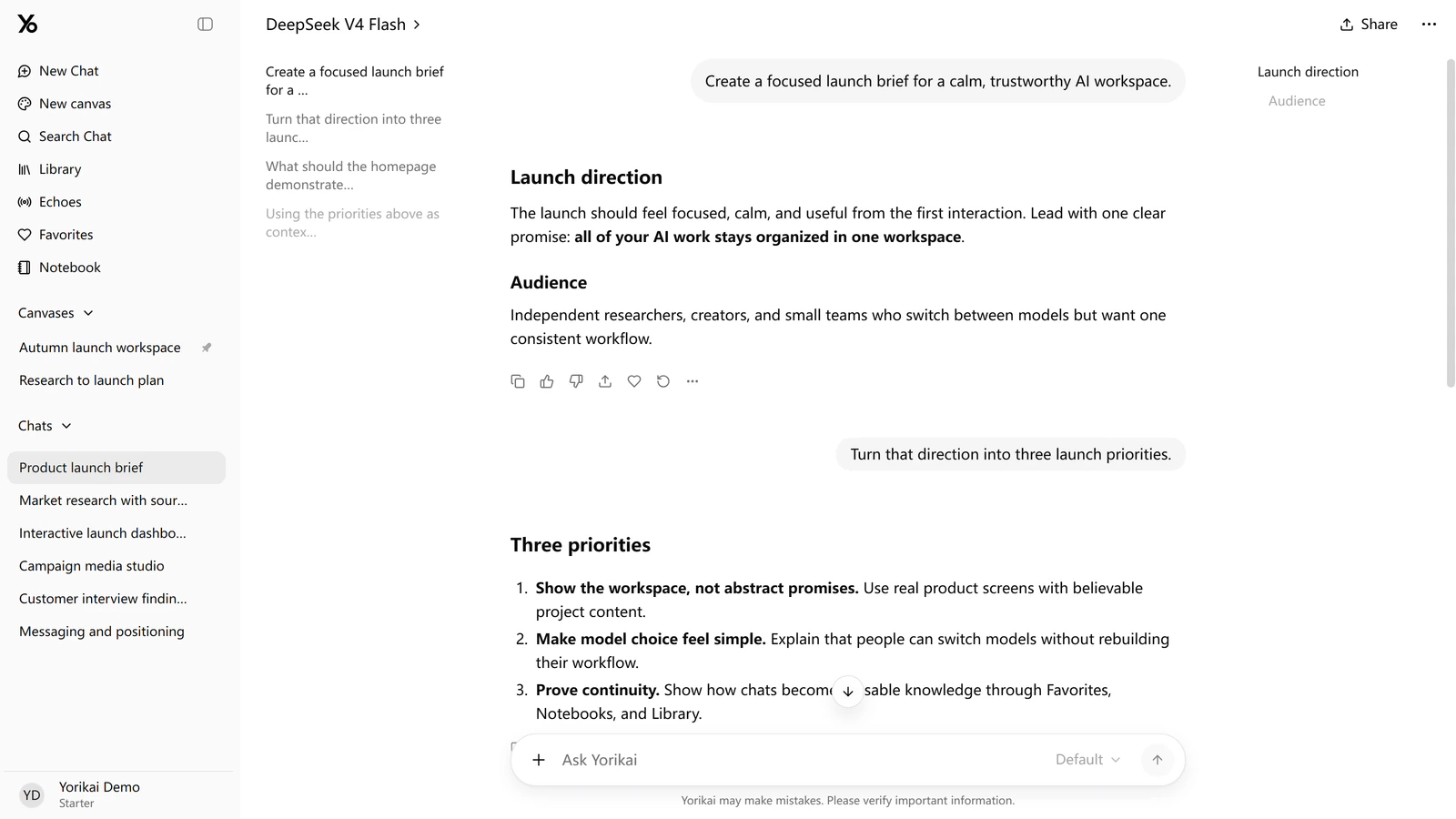
The updated sidebar gives canvases their own list alongside chat history. Frequently used canvases can be pinned for quicker access.
Conversation outlines provide direct links to questions and answer headings. On wide screens, they appear beside the messages while leaving space for the conversation. The layout also preserves the reading position more consistently when the window is resized.
These updates are available in Yorikai, with the full release details in the changelog.