Build your first Canvas workflow
Take a research summary through to a first draft, with a workflow you can review before running.
When you're preparing a product launch, you might repeat the same handoff several times. A research reply finishes, you copy its result into your notes, and you use those notes to ask for announcement copy. Each step is small, but you still have to move the work along.
Canvas now has execution nodes that let you save that sequence as a workflow. Let's use three nodes: a reply called Research summary, a text node called Key points, and another reply called Campaign copy. Set up the last reply with the model and writing instructions you want it to use.
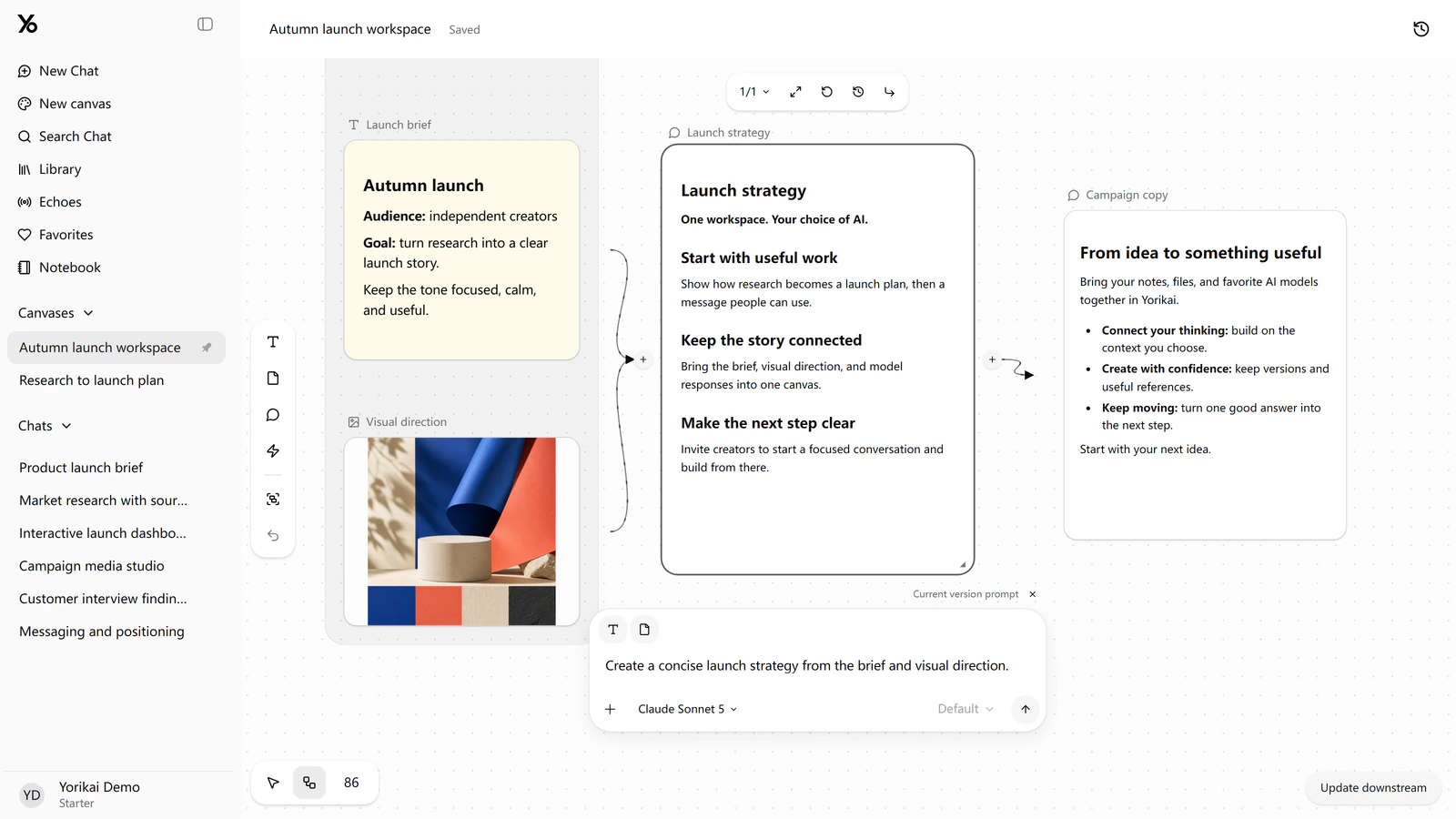
A Canvas workspace with connected source material and replies.
Add an execution node and describe the handoff:
When Research summary finishes, replace Key points with its result. Then use Key points as input to Campaign copy and generate a short announcement.
As you write, use @ to select the actual nodes so the request points to the right objects. Choose a text model to interpret it, then generate the proposed steps.
Yorikai turns the request into a draft rule for you to review. Check that it starts from the right reply, writes to the right text node, and asks the intended reply to generate. You can adjust the request or edit the rule before saving it. Drafting the rule and running its AI steps both use your connected API account, so this is also a good time to check the models you have chosen.
For a first try, run the saved workflow manually and choose a completed research result as its starting point. You can follow the steps in the execution record: the summary is written to Key points, then Campaign copy uses that updated text to produce the announcement. If a step fails, you can inspect it and retry that step while keeping the earlier completed work.
Once you're happy with the sequence, enable the rule to listen for future completions of Research summary. The next time that reply finishes, the same handoff can run again. You can still review each run's inputs and results as you refine the launch copy.
If you haven't made a canvas yet, the Canvas introduction walks through setting one up. Otherwise, open your workspace and try a sequence you already repeat.